
Anycubic Kobra 3: the most common errors and their fixes
Error 10122, error 11511, a clogged hotend and ACE Pro lockups: the faults I actually hit on the Kobra 3 Combo, with the fix that worked each time.
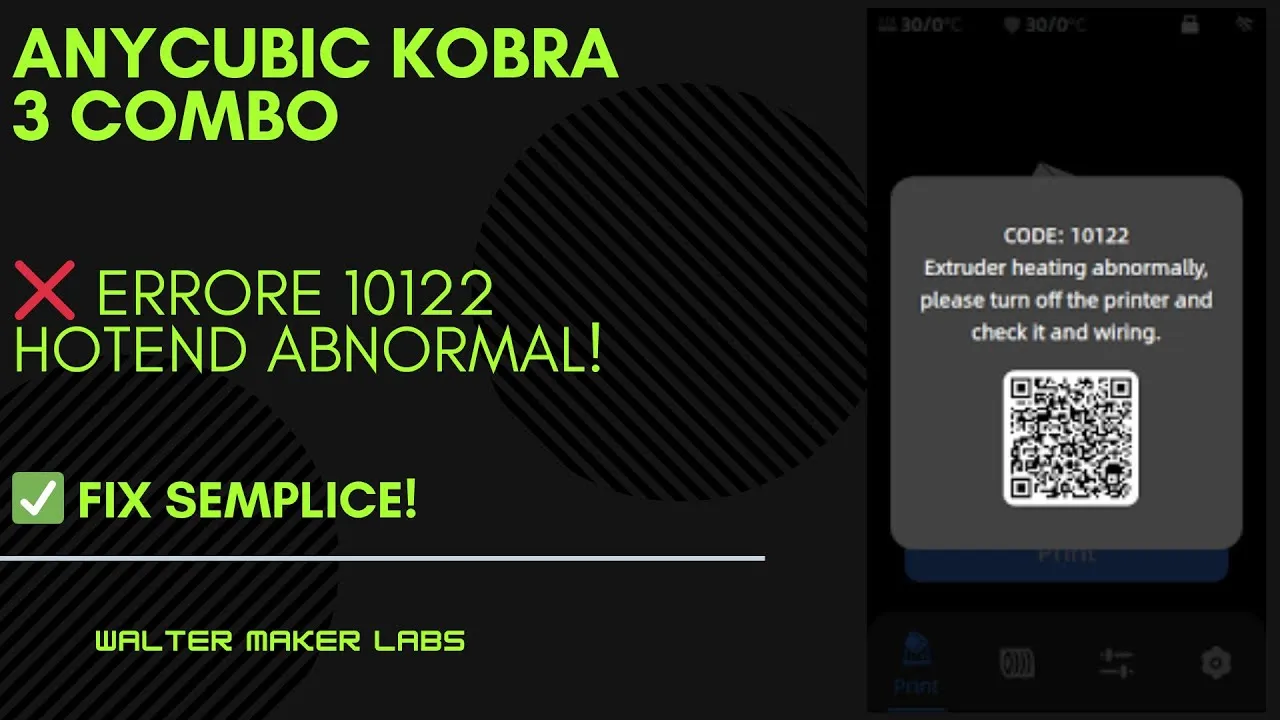
The Kobra 3 Combo is the machine I’ve put the most hours — and hit the most faults — on. This page collects the ones I genuinely ran into, with the fix that worked: not a theoretical list, but what actually happened on my bench.
Nearly all of them revolve around two things: the extruder and the ACE Pro.
Error 10122 — Extruder heating abnormally
You switch the machine on and get code 10122. The printer is saying the extruder isn’t heating normally.
In my experience the problem is almost never a burnt-out heater, but the connection chain. Three things to check, in this order:
- The extruder connections, looking for loose or partly unseated connectors
- The thermistor, the sensor that measures temperature
- The wiring, which on the print head flexes with every print and fatigues over time
It’s an alarming fault that usually clears in minutes, because in the vast majority of cases it’s a contact, not a dead component.
Why it happens: the wires running to the head go through thousands of flex cycles. If the temperature reading becomes inconsistent, the firmware would rather stop everything than risk uncontrolled heating. The lockout is a protection, not a defect.
Error 11511 — Extrusion abnormal
The full message is CODE: 11511 Extrusion abnormal. Check the status of the filament and try again. The print won’t start at all.
If it appeared right after a spool change, in almost every case there’s a single cause: the filament wasn’t cut properly for insertion into the ACE Pro.
The ACE Pro wants a clean, slightly tapered tip. A crooked cut, one flattened by the cutters, or one with a burr on the side will snag in the path and the system reads it as abnormal extrusion.
The fix: pull the filament out, cut it again cleanly and at an angle, and reinsert. It’s trivial, and it’s why this error is as frequent as it is harmless.
Clogged hotend
When the nozzle clogs, the machine stops depositing material while continuing to move: you end up with a missing layer or a print running “dry”.
Cleaning the stock hotend is a mechanical procedure you can do at home without spares. The dedicated video shows it in full.
Preventing it: clogs almost always come from damp filament, or from residue of a previous material printed at a different temperature. If you alternate PLA and PETG on the same hotend, run a generous purge at the changeover.
ACE Pro lockup: nothing extrudes at all
The most serious case I had: the ACE Pro had stopped extruding entirely. And it was two overlapping problems, not one — which is why the diagnosis initially didn’t seem to add up.
That’s the most useful thing to know when repairing anything: if you fix one cause and the symptom remains, it doesn’t mean the diagnosis was wrong. There may be a second fault underneath.
Bent hotend and spaghetti error
Two linked episodes, a day apart.
A bee got into the workshop and flew into the print in progress. Spaghetti detection did its job: it spotted the anomaly, stopped the machine and saved 80 g of filament. The next day, though, the damage showed up: a bent hotend, needing replacement.
Two things to take away:
- Automatic detection is worth the few euros it costs: a print failing unnoticed can eat a whole spool.
- Anycubic support, in my experience, responded and sent the parts. It’s worth opening a ticket before buying the component yourself.
In short
| Symptom | Most likely cause |
|---|---|
| Error 10122 | Extruder connection or thermistor |
| Error 11511 after a spool change | Filament cut badly for the ACE Pro |
| Printing “dry”, missing layer | Clogged nozzle |
| No extrusion from the ACE Pro | Possibly two faults at once |
| Deformed print, mechanical damage | Foreign object: check the hotend |
The videos, in order
Clogged hotend: cleaning and recovery
The full cleaning procedure for the stock hotend after a clogging error.
Spaghetti error: a bee in the printer
Detection stopped the print in time and saved 80 g of filament.
Bent hotend
The consequence of the day before: hotend to replace, support to contact.
Out of action: extrusion problem
Support contacted, new print head on the way.
Extrusion: solved
Free-air extrusion tests and clean filament cuts: the machine is back.
ACE Pro lockup: no extrusion at all
Two problems at once, found and fixed step by step.
Error 10122: extruder
Extruder heating abnormally: connections, thermistor and wiring.
Error 11511: abnormal extrusion
Almost always filament cut badly after a spool change.
A bad print: is the printer to blame?
The print failure, and how to fix it